

A few weeks ago, I found myself at a conference in Gay Paree — that's Paris for those who don't speak el Français.
I had been delivering a talk on the joys of data modeling for Stranger Graphs — an AI GraphRAG, Stranger Things plot predictor with Graph Data Science enhancements.
Anyway, question-time arrived.
"Why's it so f***ing expensive?!" yelled Mr. Somebloke.
Silence gripped the scent of deep-dish perfume and high-end cerveza — that's "beer" in French.
You, dear reader, may be feeling the pinch, so I am here to show you the map to the Fountain of Compaction: you're about to learn how to compact your Neo4j Aura database and save $$$.
Why your AuraDB is massive
Deleting a node does not shrink your database. The store files stay the same size on disk.
Neo4j uses logical deletes. Giving that space back to the operating system would cost I/O operations and slow your transactions. Neo4j just marks the record as deleted — fast, painless, and the space stays allocated.
In other words, the space taken by every node you've ever deleted lives on in the database underworld. New writes can reuse it, but nothing gives that space back automagically.

Fast? Blinding.
Space-saving, no.
Compaction
Compaction is the process of removing that reserved space and getting your database down to an appropriate size. The difference between an uncompacted and compacted database can be astronomical.
The database
For reference, let's take a look at this Movies database — you know it. It contains 108K nodes, 399,999 relationships and millions of properties and indexes.
However, take a look at these Goliath figures:
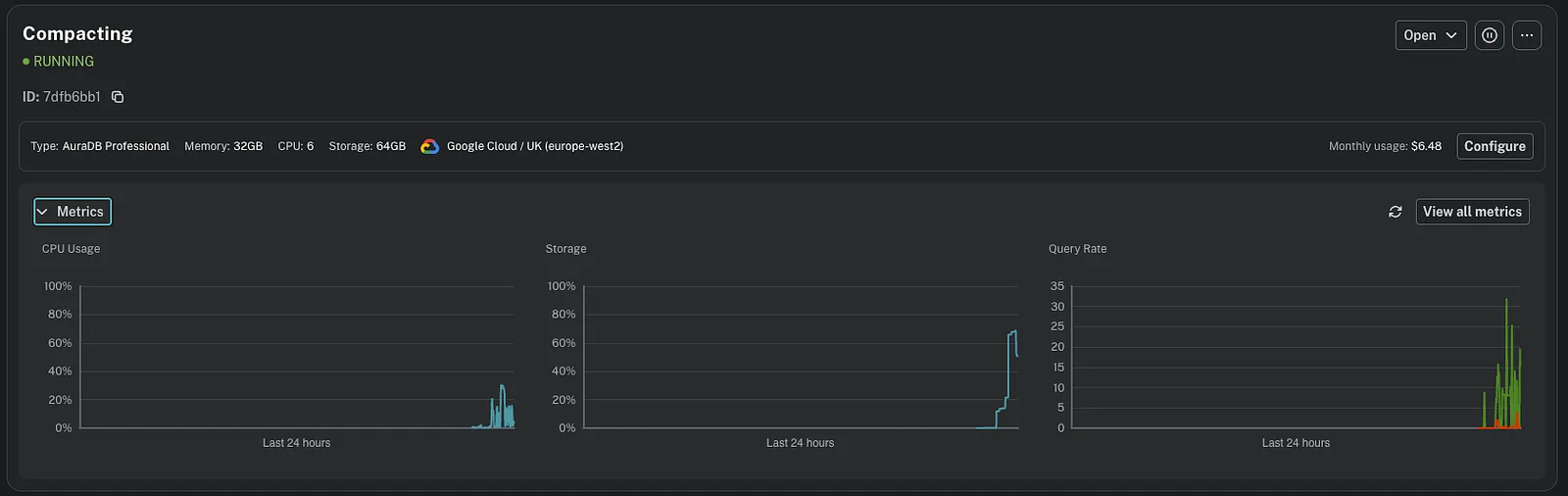
This is a 64GB database - 70% full.
This is intentionally abnormal.
I had previously run a statement to generate 50 million Pirate Ipsum nodes:
UNWIND range(1, 50000000) AS i
CALL (i) {
  CREATE (:Filler {
    id: randomUUID(),
    text1: 'Prow scuttle parrel provost Sail ho shrouds spirits boom mizzenmast yardarm.',
    text2: 'Pinnace holystone mizzenmast quarter crow\'s nest nipperkin grog yardarm hempen halter furl.',
    text3: 'Swab barque interloper chantey doubloon starboard grog black jack gangway rutters.'
  })
} IN TRANSACTIONS OF 1000000 ROWS
And then another to delete them all:
MATCH (n:Filler)
CALL (n) {
  DELETE n
} IN TRANSACTIONS OF 100000 ROWS
Take a look at the store size against the node labels—you'll see the problem:
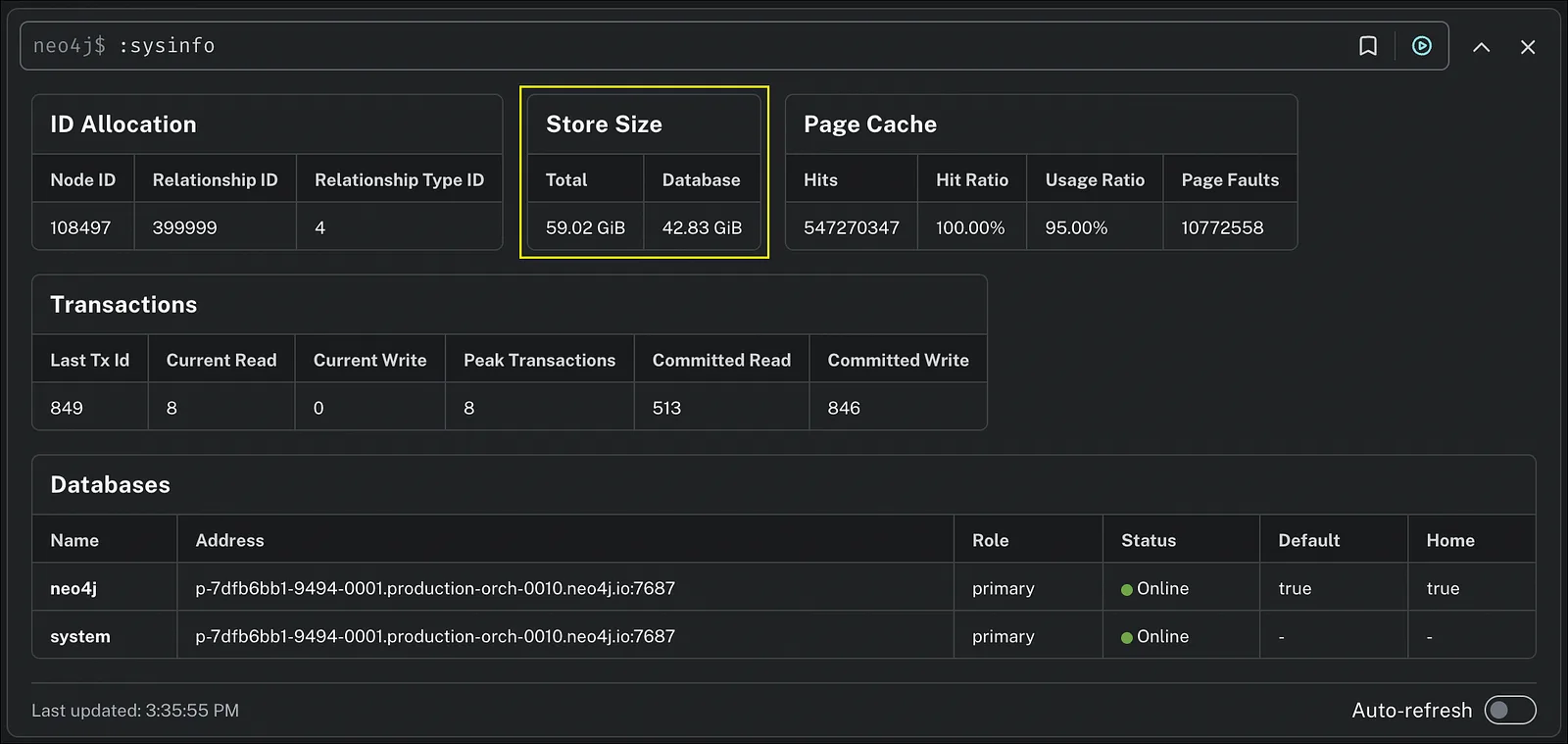
Even though we have deleted those 50 million nodes, they're still hanging around in the underworld.
Worry not. We can easily get this down with a little help from Neo4j Desktop.
Compacting walkthrough
Check out this article for a longer, more in-depth walkthrough.
First, take a snapshot in AuraDB:
- Go to the Instances tab
- Click the three-dot menu
- Click Backup & restore
- Go to the Snapshots tab
- Click Take snapshot
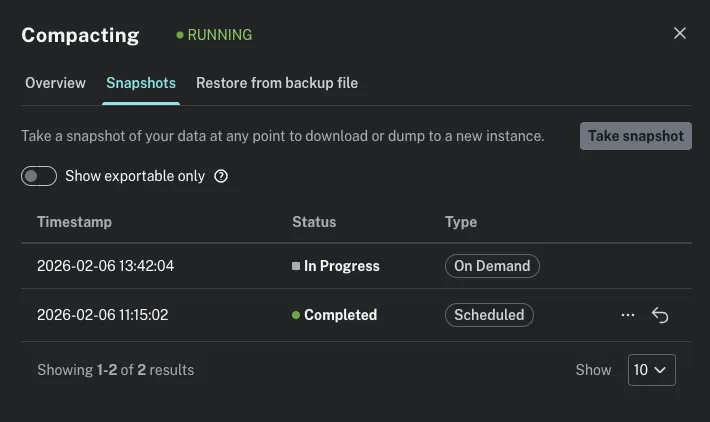
Once your backup is ready, download it.
Backup size
After its jolly excursion, my database .backup ends up being 2.25GB.

Yours may not be as massive, but these overwriting operations can stack up — you might be surprised at the drop in size. For instance, it's not uncommon to go from a 1GB .backup down to a 40MB .dump.

Compact the database
To compact the database, you'll need to create a new instance in Neo4j Desktop and load the backup file into it:
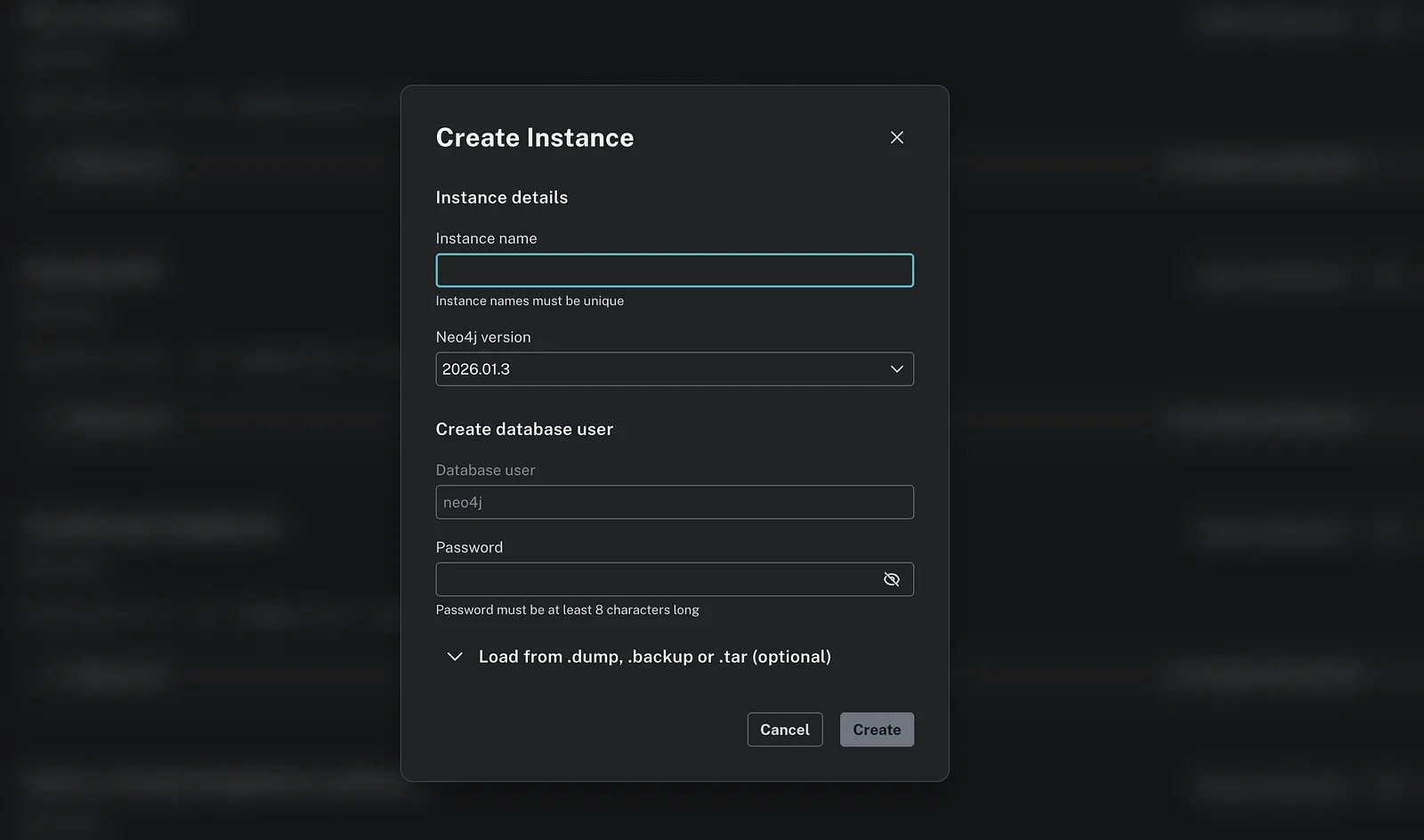
Start and then stop the database without adding any data to it. In a moment, we'll overwrite it with the .backup data. This gets your neo4j and system databases ready.
Next, import your backup to the new database, and make sure to check Allow overwriting.
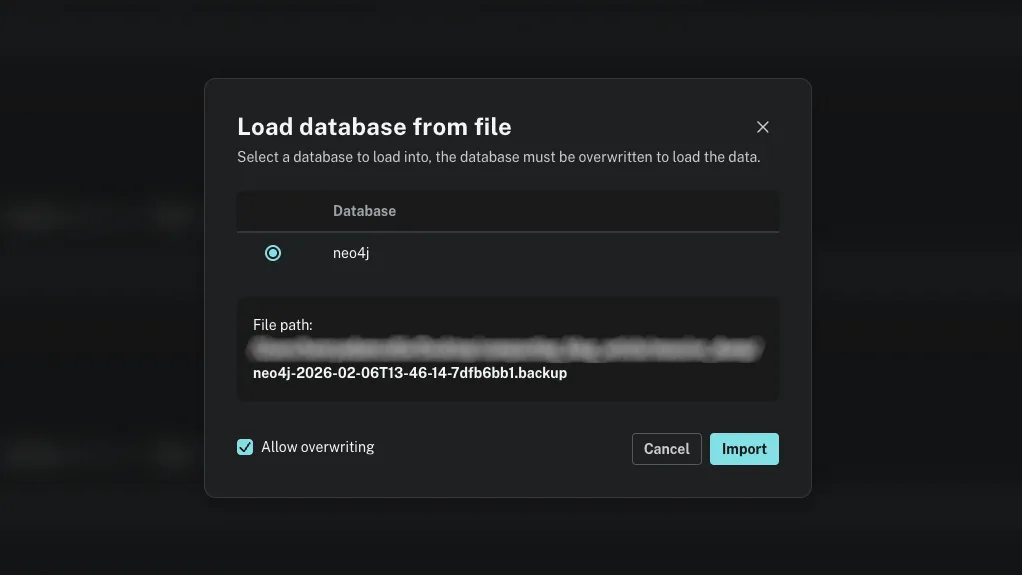
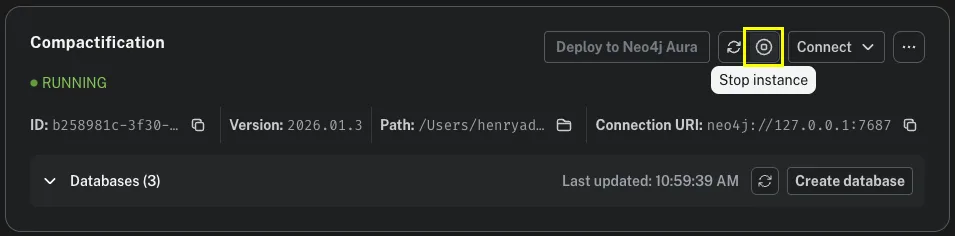
Once it's loaded, make sure you stop the database again — it will likely start automatically. Then:
- Click the three dots menu
- Go to Open
- Open the Instance folder:
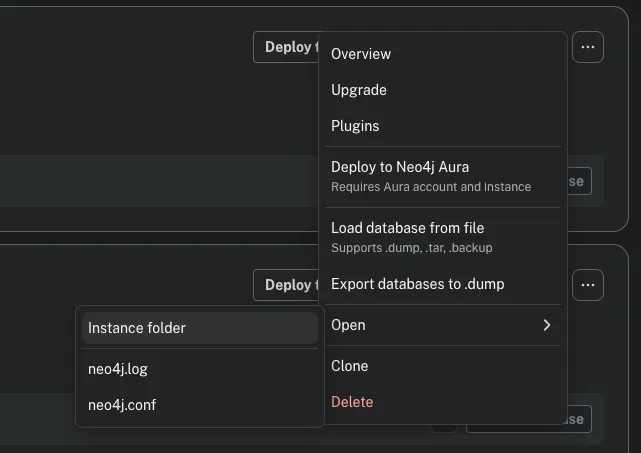
This should open the correct folder.
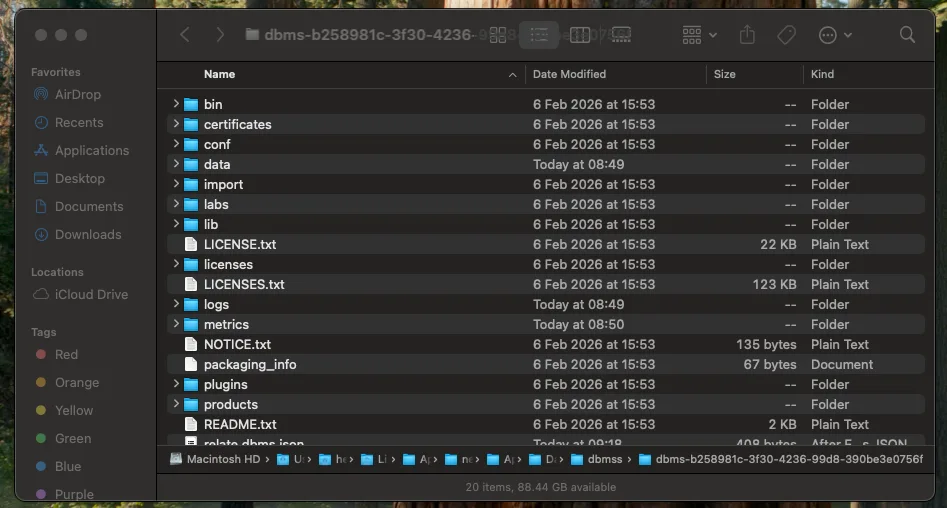
You'll need to open a terminal at this folder. On Mac, go back one level, right-click the folder and then open a terminal.
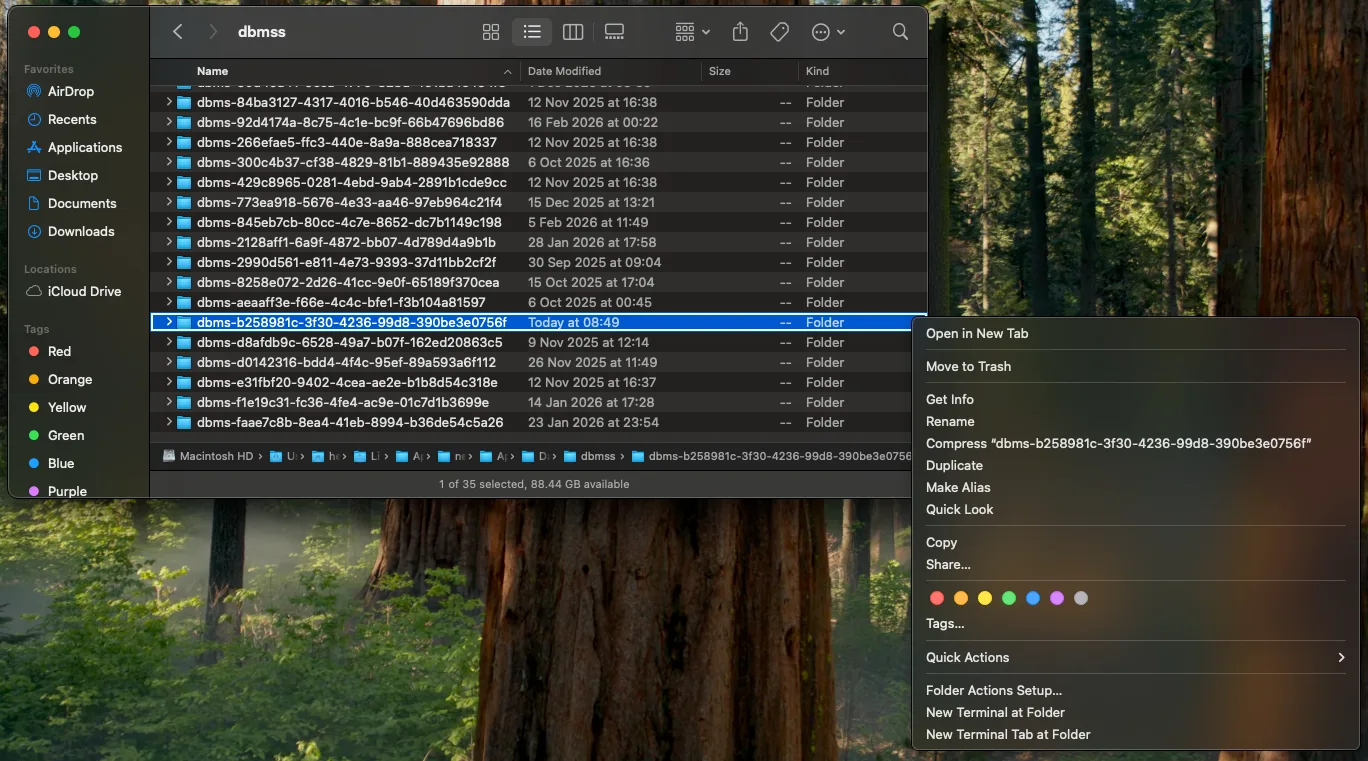
Once inside the folder, run the command below.
This copies the entire store. It needs free disk space for a second copy, and it can take a long time on a large database.
bin/neo4j-admin database copy neo4j neo4jcopy --compact-node-storeYou'll see output that looks like this:
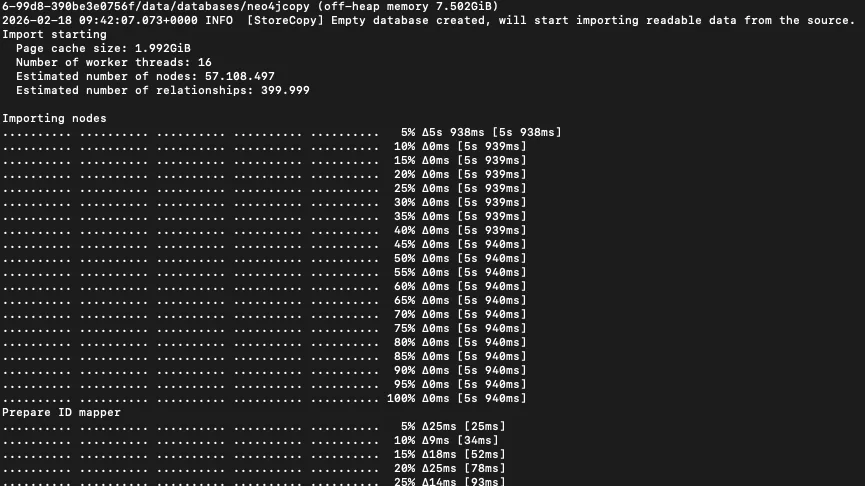
At the very end of the output, you'll see a list of constraints and indexes that will need to be reapplied to the new copy.

Copy these to the clipboard.
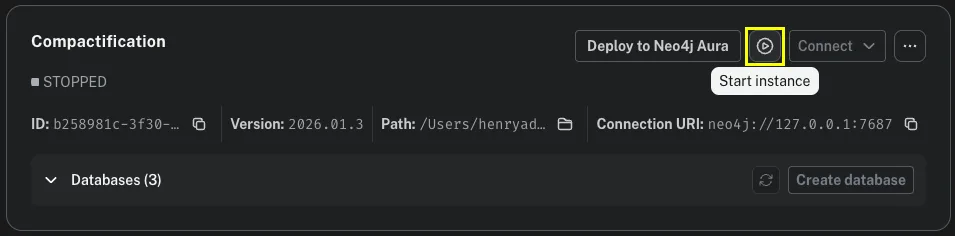
Next, start your instance:
Inside the query window, run the following:
CREATE DATABASE neo4jcopyThis command registers the existing database, so you can access it. From here, you can switch to the new database and validate its integrity.
If you're compacting a local database, now would be the time to run those constraints copied from the terminal.
CREATE RANGE INDEX `user_name` FOR (n:`User`) ON (n.`name`) OPTIONS {};
CREATE RANGE INDEX `actor_name` FOR (n:`Actor`) ON (n.`name`) OPTIONS {};
CREATE RANGE INDEX `director_name` FOR (n:`Director`) ON (n.`name`) OPTIONS {};
CREATE RANGE INDEX `movie_title` FOR (n:`Movie`) ON (n.`title`) OPTIONS {};
CREATE CONSTRAINT `imdbId` FOR (n:`Movie`) REQUIRE (n.`imdbId`) IS UNIQUE OPTIONS {};
CREATE CONSTRAINT `actorId` FOR (n:`Actor`) REQUIRE (n.`imdbId`) IS UNIQUE OPTIONS {};
CREATE CONSTRAINT `userId` FOR (n:`User`) REQUIRE (n.`userId`) IS UNIQUE OPTIONS {};
CREATE CONSTRAINT `genre_name` FOR (n:`Genre`) REQUIRE (n.`genre`) IS UNIQUE OPTIONS {};
CREATE CONSTRAINT `directorId` FOR (n:`Director`) REQUIRE (n.`imdbId`) IS UNIQUE OPTIONS {};
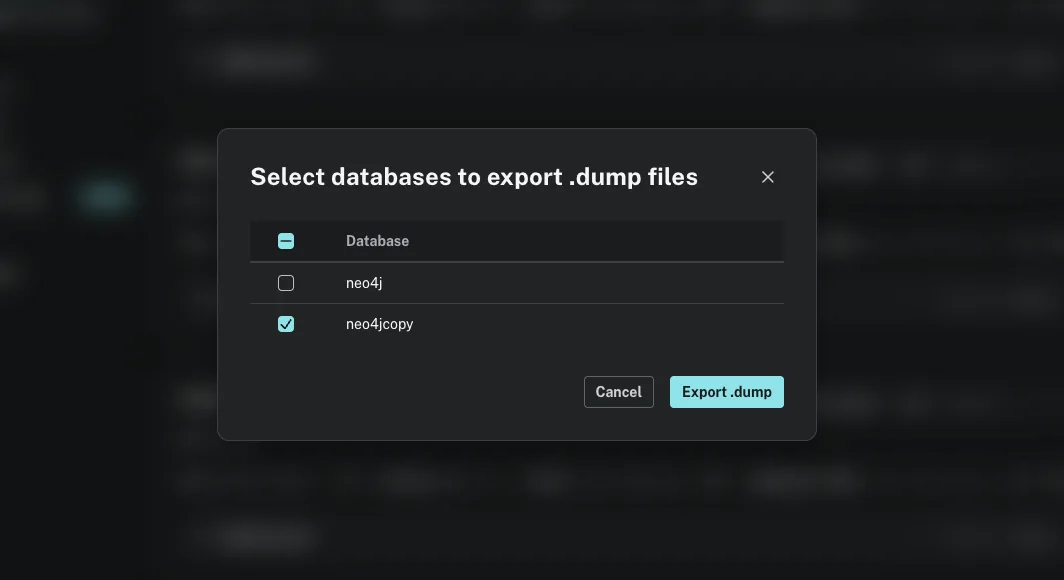
If you're uploading to Aura, skip this step for now and stop the database.
Export neo4jcopy to .dump:
Now, when we take a look at our database size, it has reduced from 2.25GB to 22.9MB.

Next, head back to Aura and overwrite your existing database with the new one.
Uploading the dump replaces everything in your Aura database, including anything written since you took the snapshot.
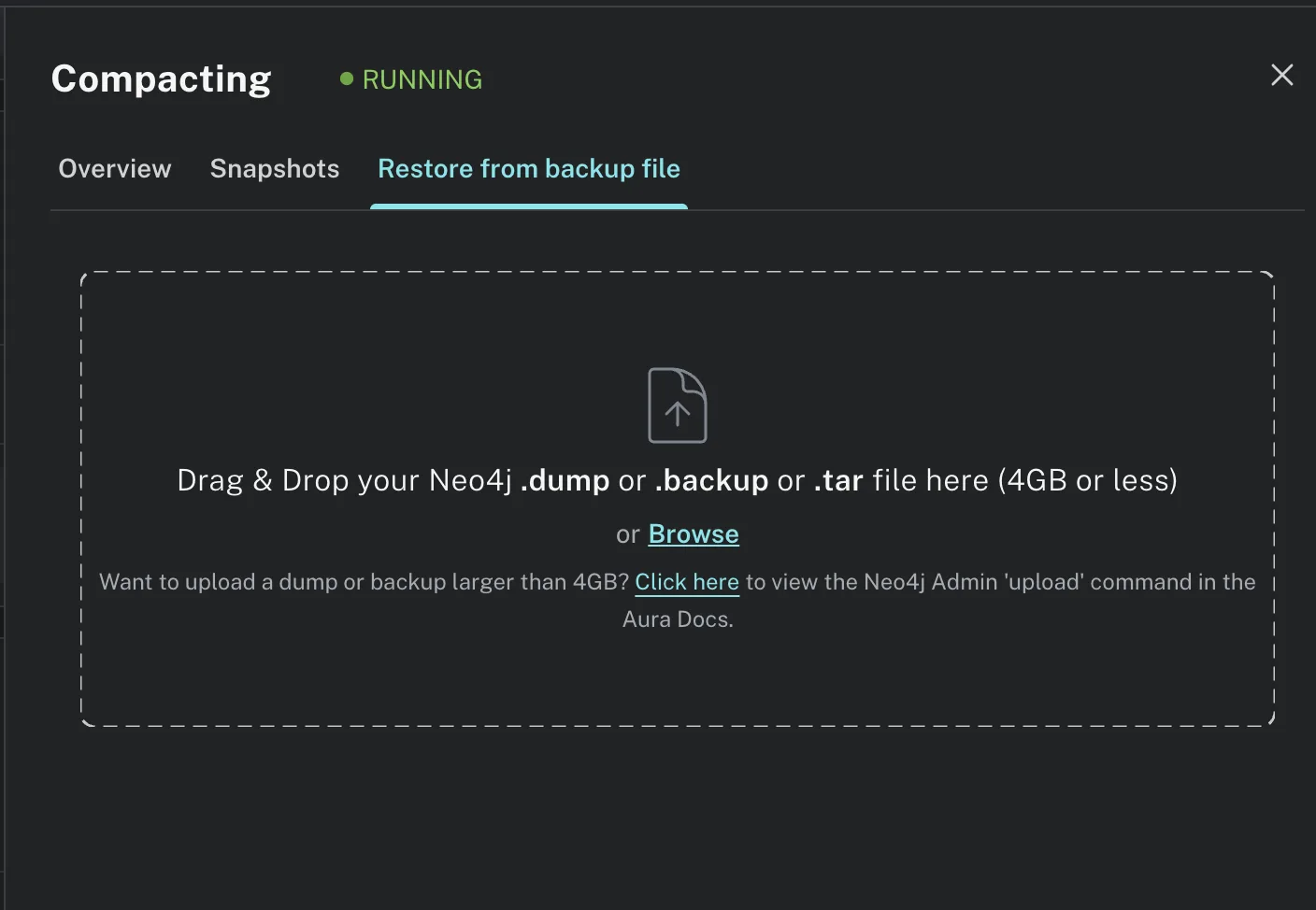
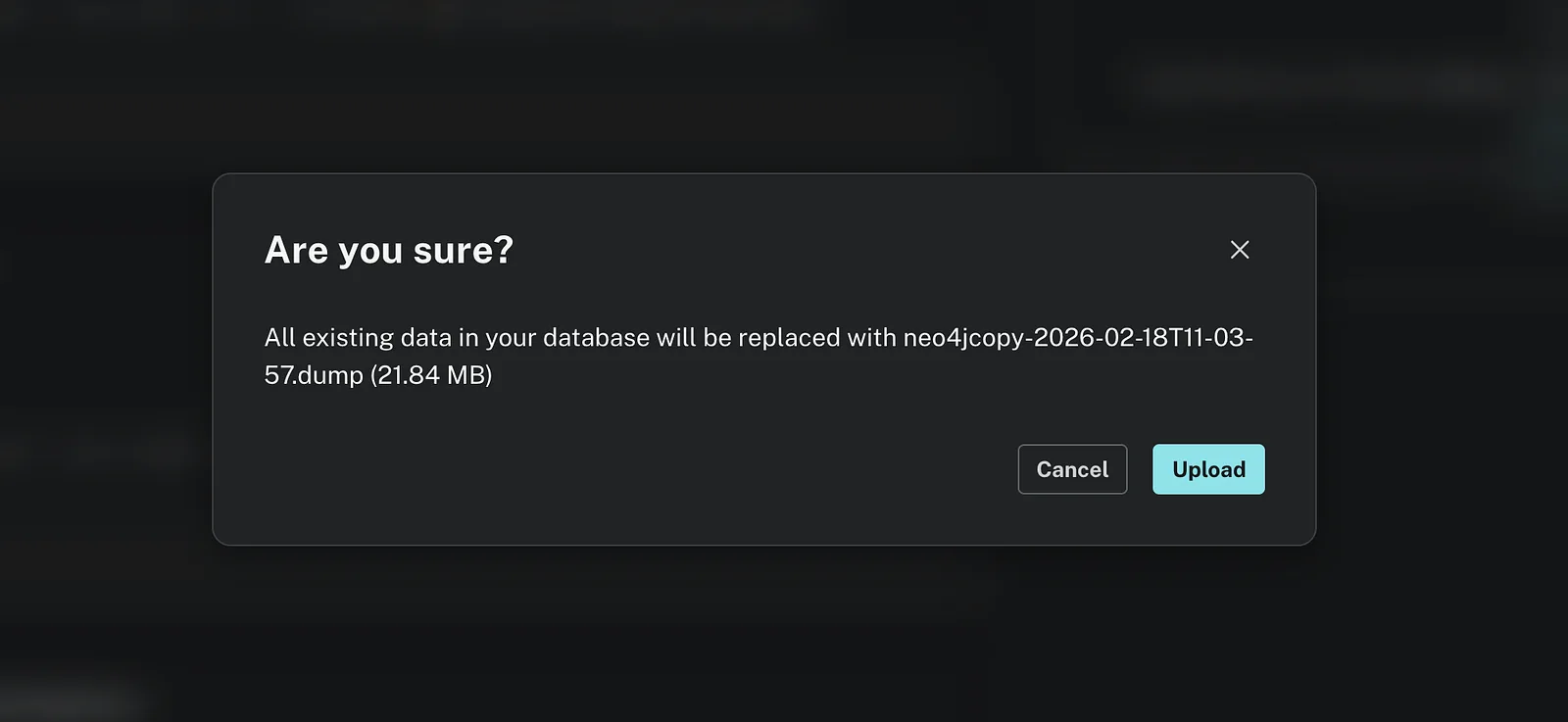
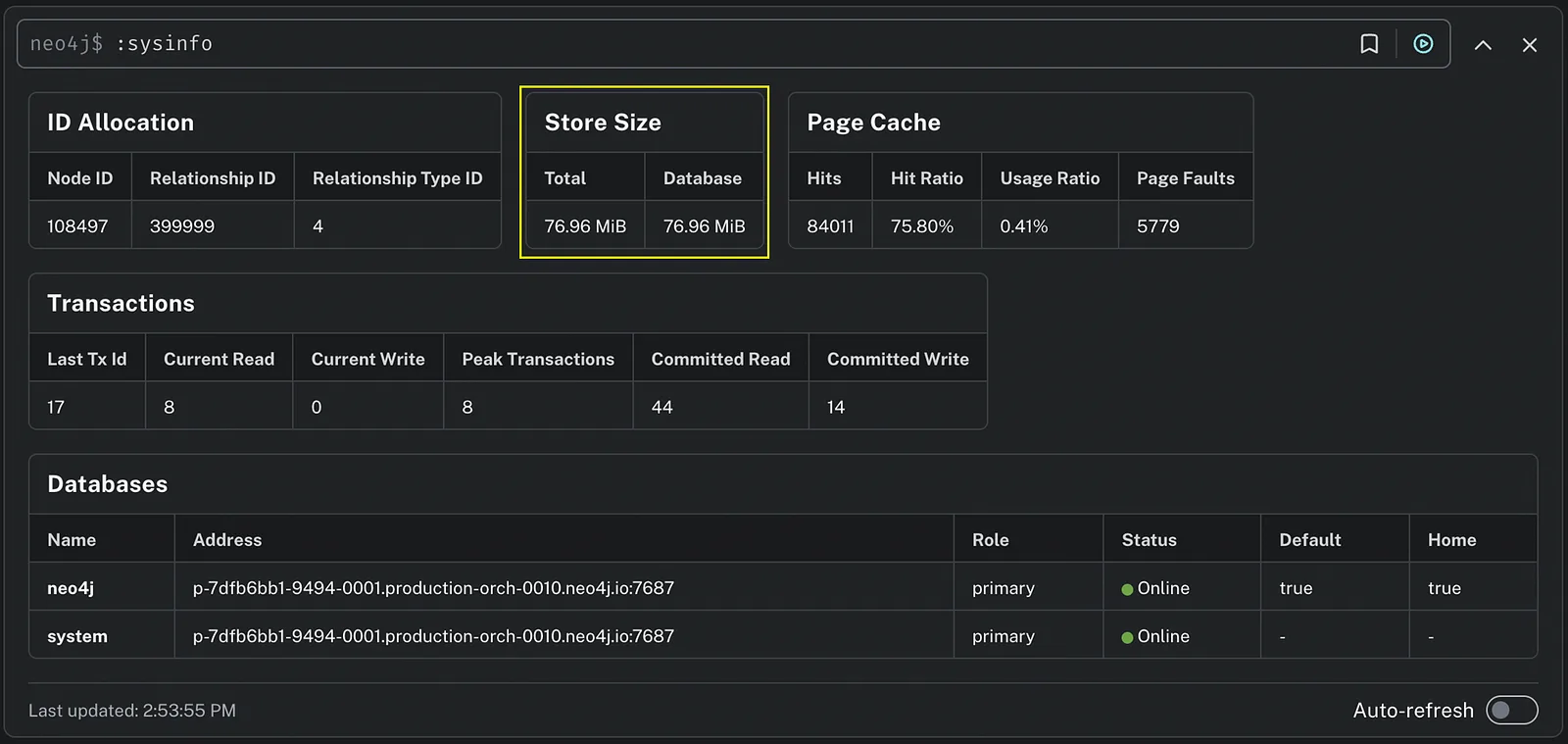
Now, if we check the database size, we have reduced the node count from 57,108,497 to the correct 108,497. Our total store size has reduced from 59.02GiB to 77MiB.
Conclusion
This has been a brief overview of how to reduce your database store size. However, the requirements and processes can differ depending on your Aura version.
- For a more in-depth guide, including an outline of considerations and limitations, check out this compacting article from Neo4j Support.
- Deleting in batches, as in the
CALL {} IN TRANSACTIONSstatement above, is covered in Replacing your APOC Periodic Iterate with CALL IN TRANSACTIONS. - To make your Aura spend go further, see How to redeem Aura credits from an event.
To learn more about backups, restores and resource optimization in Aura, take these courses:
Comments (0)
Loading comments...